Shortcodes - Pre-written Response Shortcuts for Live Chat in ConvyAI
Overview
Shortcodes let agents send pre-written text snippets during live chat conversations by typing a short label instead of the full message. They reduce response time and help maintain consistency in customer communication.
A shortcode is defined by a label, a content string, and one or more queues it applies to.
Create a shortcode
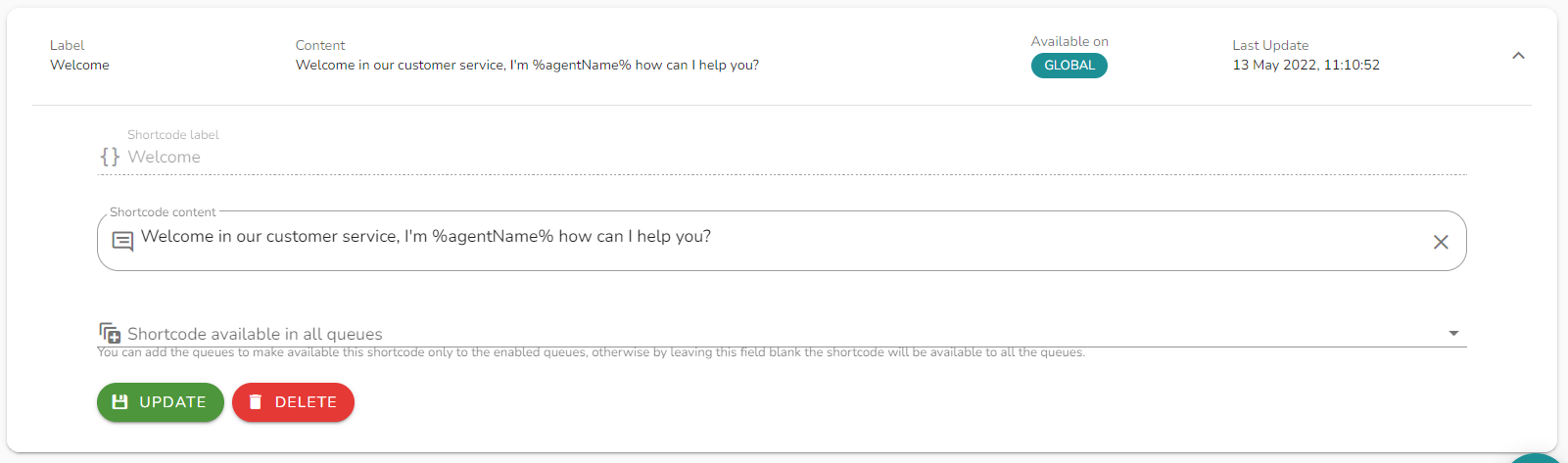
Navigate to ConvyAI Agents → Shortcodes and click New Shortcode.
Configuration options
| Field | Description |
|---|---|
| Label | The keyword the agent types to trigger this shortcode (without the / prefix). |
| Shortcode content | The full text that will be sent when the shortcode is used. Supports dynamic variables (see below). |
| Queue | One, multiple, or all queues this shortcode is available in. Leave blank to make it available in all queues. |
Use dynamic variables
The shortcode content supports all variables available during bot navigation. Use them to make messages dynamic.
For example, %agentUsername% is replaced at send time with the current agent's username.
How agents use shortcodes
During a live chat in the Agent Desktop, the agent types / followed by the shortcode label and presses Enter. The full content is sent to the customer.
Notes and limitations
- Shortcode labels are case-sensitive.
- If no queue is selected during creation, the shortcode is available to agents across all queues.
- Variables that are not available in the current conversation context will not be resolved and will appear as-is in the sent message.