Managing Agent Accounts in ConvyAI - Permissions and Profiles
Overview
The Agents page lists all registered agent accounts and lets you create new ones. These accounts are used to log into the Agent Desktop and handle incoming customer conversations.
The page header provides sorting, searching, and filtering options. You can filter by profile, permission set, status, and enabled/disabled state. You can sort by username, profile, permission set, status, and last update.
At the top of the list, the Agent Desktop URL is displayed - this can be the system default or a custom URL.
Create an agent account
Click New Agent to open the creation form.
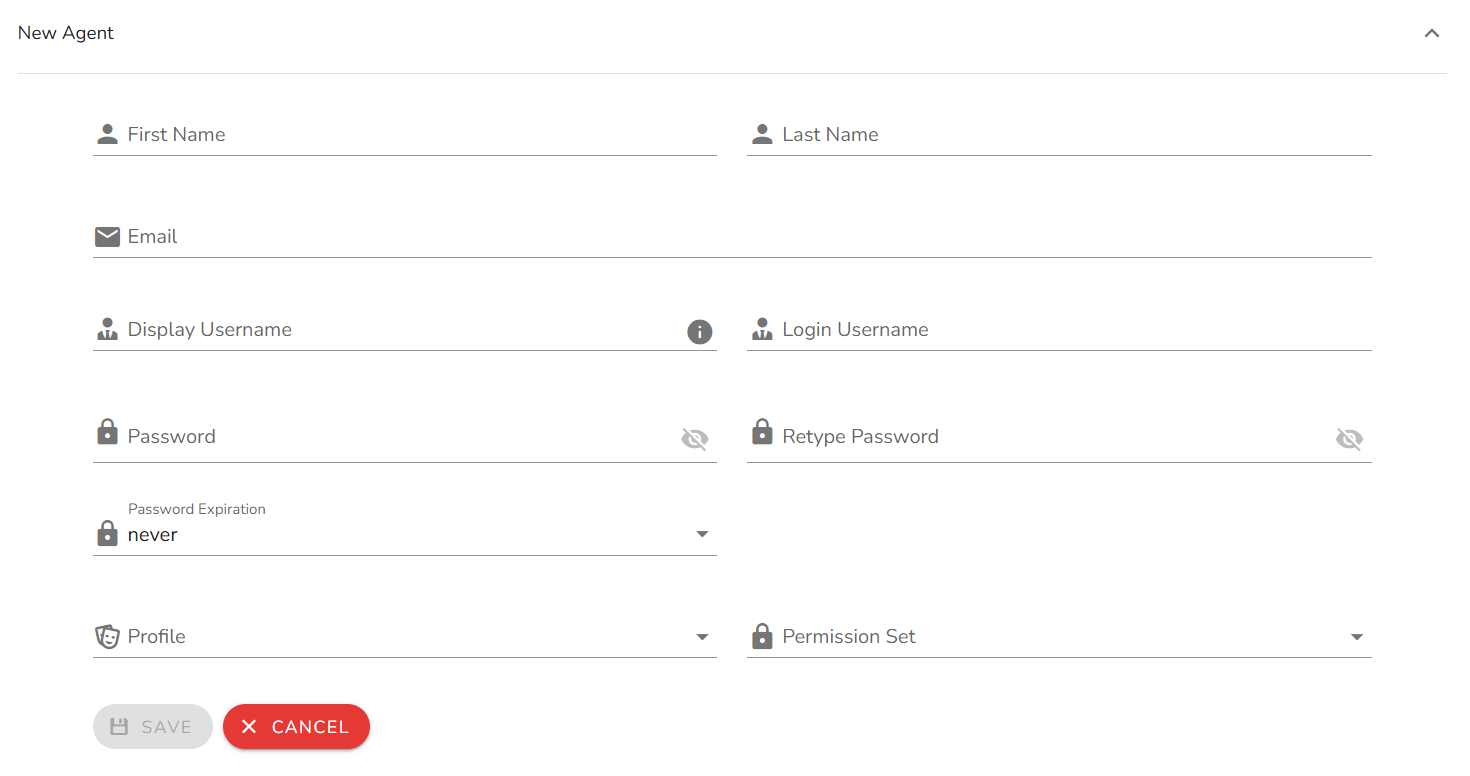
Configuration options
| Field | Description |
|---|---|
| Permission set | Determines what the agent can see and do in the Agent Desktop. Default options: Agent, SuperAgent, Supervisor. Custom permission sets are also available. See Permission Sets. |
| First name | Agent's first name. |
| Last name | Agent's last name. |
| Agent's email address. | |
| Username | Username for Agent Desktop login. Auto-generated as firstname.lastname, but can be customized. |
| Password / Retype password | Login password. Must be entered twice for confirmation. |
| Profile | Assigns the agent to a profile, which determines their queues and concurrent task limits. Each agent can be assigned to only one profile. See Profiles. |
| Password expiration | How often the password must be reset. Default: never. Options: 1 month, 2 months, 3 months. |
Password reset and restore from the Agent Desktop are not supported. Passwords can only be changed from the Admin panel.
Monitor and manage active agents
From the agents list you can:
- View real-time status of each agent (available, busy, not ready, logged out).
- Force logout for agents who are currently logged in.
When forcing a logout, choose one of the following policies:
| Policy | Behavior |
|---|---|
| Now | The agent is immediately set to NOT READY and logged out, even if they have active tasks. Active tasks are moved back to their original queue. |
| When Idle | The agent is set to NOT READY and logged out after completing their active tasks, within a maximum of 5 minutes. After this period, any remaining active tasks are moved back to the original queue before the logout is finalized. |
Notes and limitations
- Usernames must be unique across the system.
- Changing an agent's profile takes effect at their next login if they are currently active.
- An agent with no profile assigned cannot receive any tasks.