Comet - Reports
Reports Table
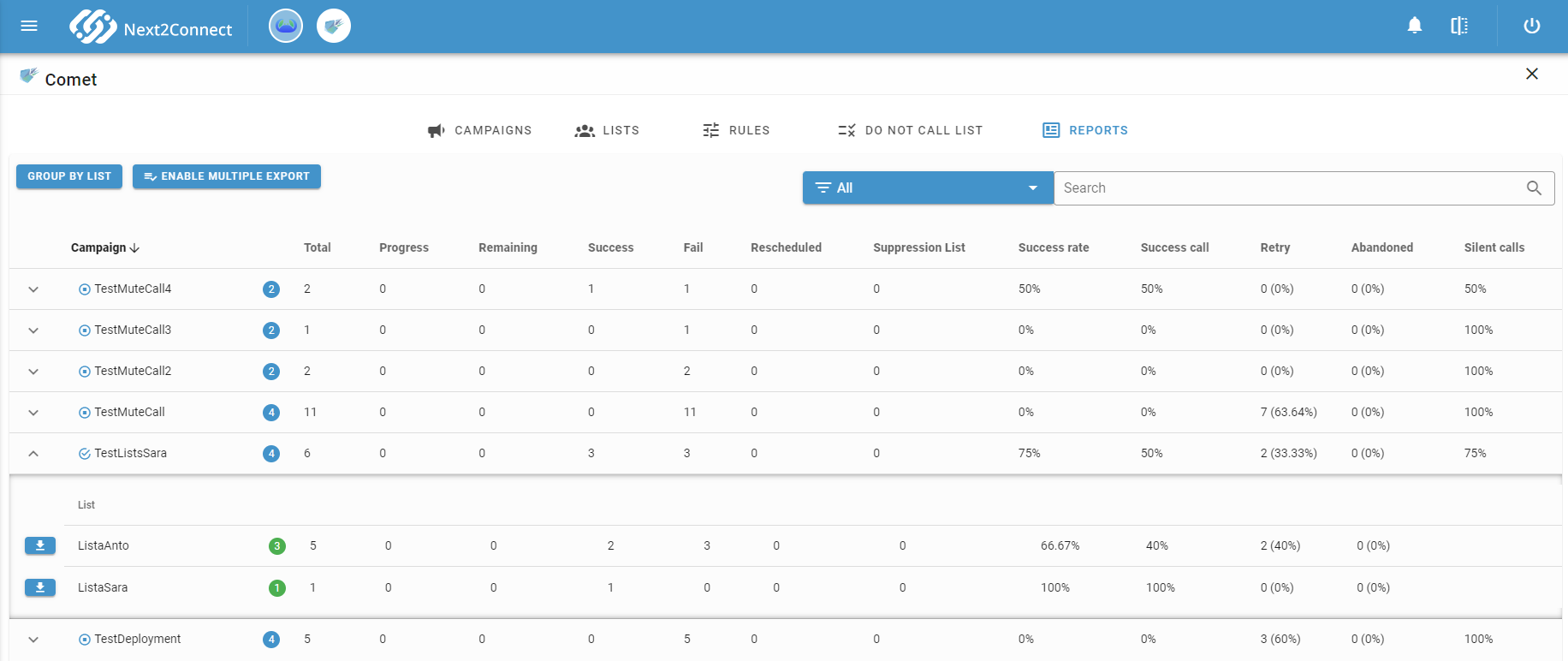
The Reports section shows call result data for every campaign and every contact list. Toggle the grouping mode using the buttons at the top of the table:
- Group by Campaign - each row represents a campaign, with aggregated data across all its lists.
- Group by List - each row represents a list, with aggregated data across all campaigns it belongs to.
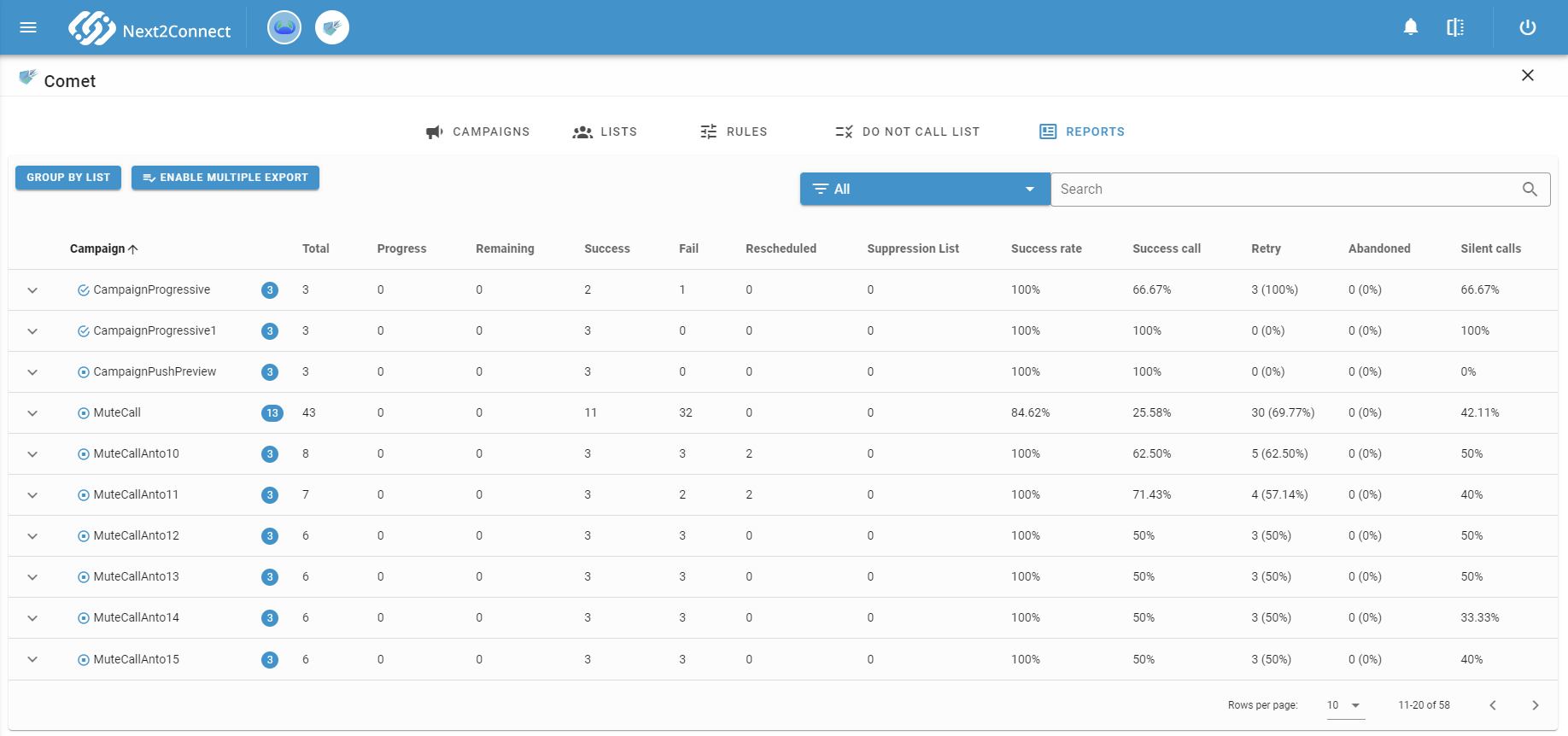
Table Columns
| Column | Description |
|---|---|
| Badge | Number of lists associated with the campaign (or campaigns using the list) |
| Total | Total outbound call attempts |
| Progress | Calls currently in progress or in AfterCallWork. Updated in near real time (Amazon Connect reports with ~1 minute delay) |
| Remaining | Contacts still to be called - contacts not yet reached and still having retry attempts available |
| Success | Calls handled by an agent |
| Fail | Calls not answered |
| Suppression List | Contacts excluded by a suppression list rule |
| Success Rate | Percentage of contacts successfully reached out of the total contacts in the list |
| Success Call | Percentage of successful attempts out of total attempts (excluding in-progress). Differs from Success Rate in that it accounts for retries |
| Retry | Number of retries following a previous unsuccessful attempt |
| Abandoned | Contacts who answered the call but disconnected before reaching an agent |
| Silent Calls | Percentage of silent calls during the campaign |
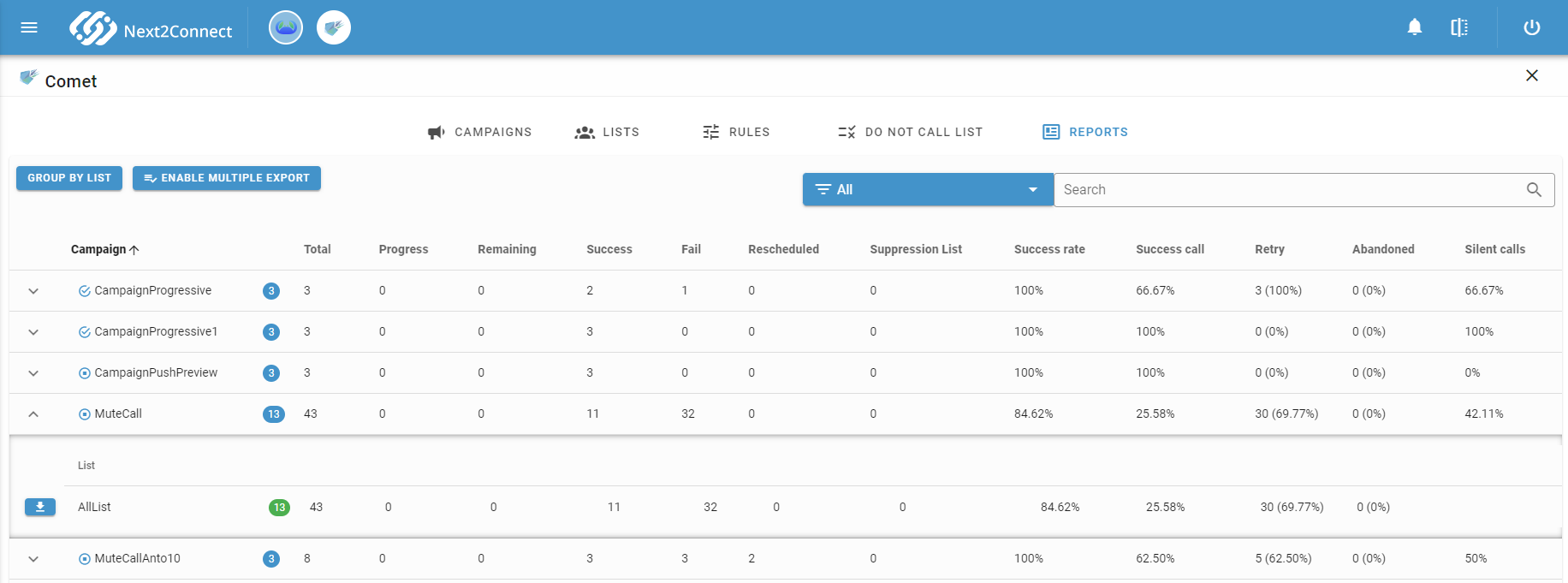
Expand a campaign row to see individual list results.
Contact-Level Detail
Click on a list row to see the call status for each individual contact in that list.
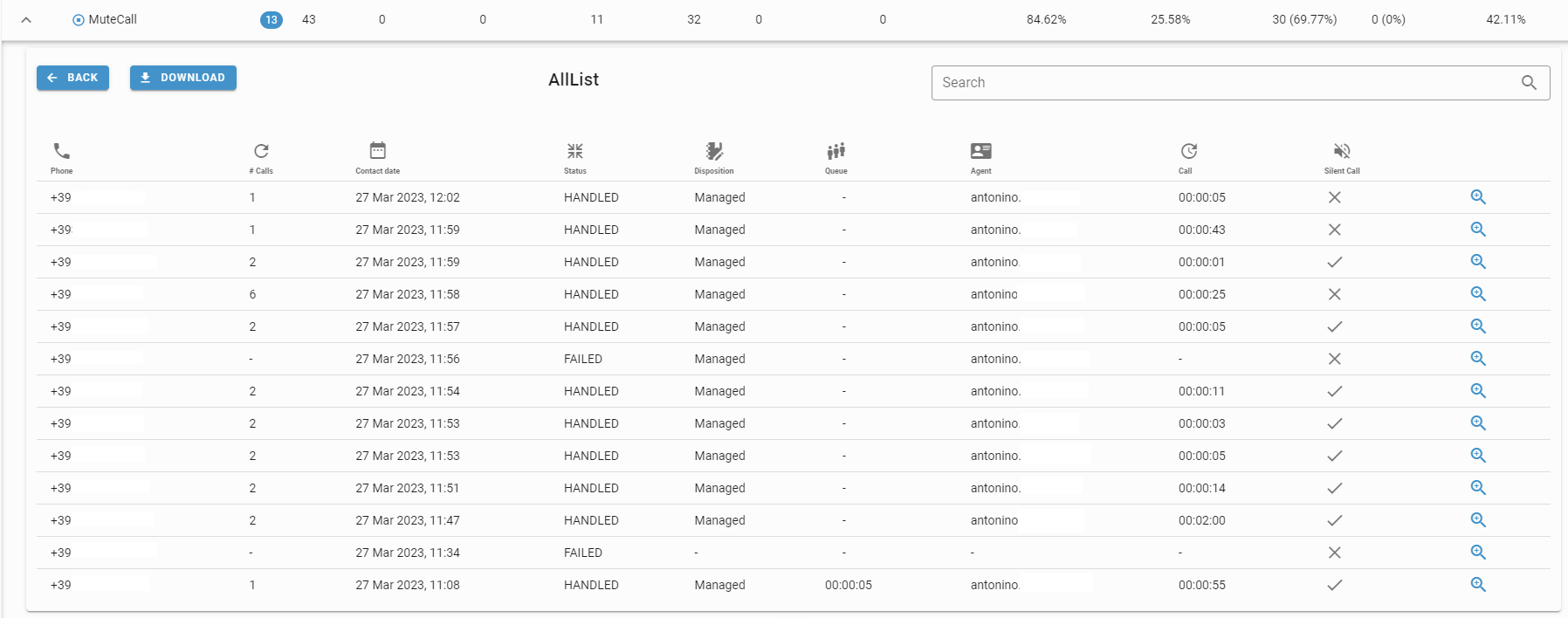
This table shows the last call attempt for each contact. The Calls column indicates how many attempts have been made to reach that contact.
Contact Status
| Status | Description |
|---|---|
| FAILED | Call failed - customer did not answer or phone number does not exist |
| PROGRESS | Call is currently in progress |
| HANDLED | Call was answered and handled by an agent |
| DISCONNECTED | Call disconnected by the system (e.g. customer did not respond to an IVR menu, or unknown disconnection reason) |
| ABANDONED | Customer answered the call but disconnected while waiting in queue before reaching an agent |
| BLACKLISTED | Call was not initiated because the number was in the Do Not Call list |
| RESCHEDULED | Contact was manually rescheduled for a later callback |
Export
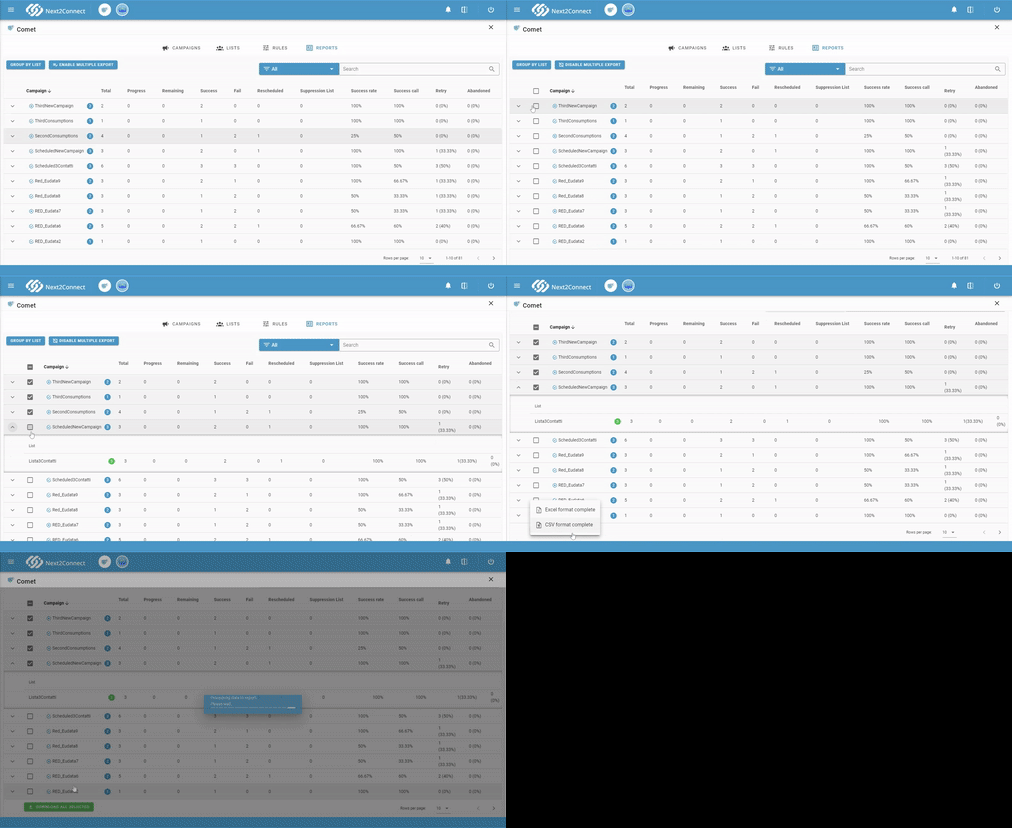
Download contact data from any list view. Click Download and choose a format:
- CSV - last attempt per contact only.
- XLSX - last attempt per contact only.
- CSV complete - all attempts for each contact.
- XLSX complete - all attempts for each contact.
To export multiple lists simultaneously, enable Multiple Export and select the lists to include.