Comet - Engagement Rules and Do Not Call List
Rules Table
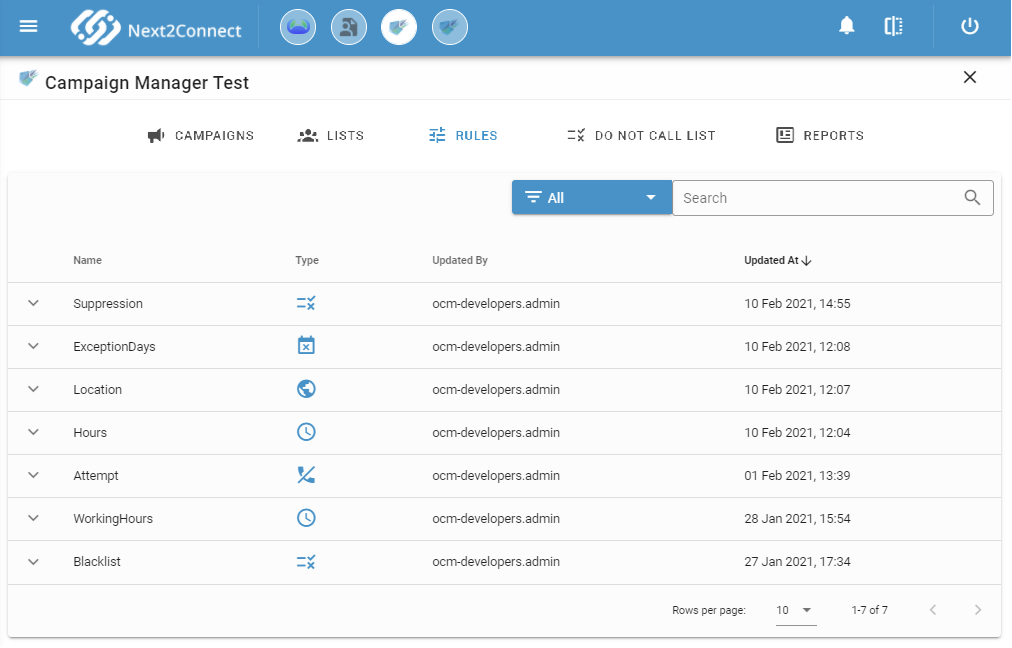
The Rules section lists all configured rules. Each row shows the rule name and type (identifiable by its icon). Expand any row to view the full rule configuration.
Create a New Rule
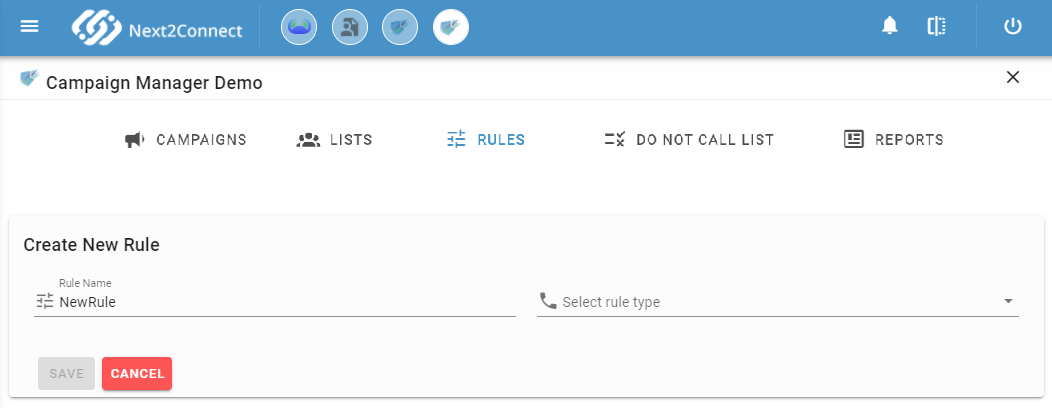
Click + to open the rule creation form. Assign a unique name, select a rule type, and configure the type-specific parameters.
Rule Types
Hours
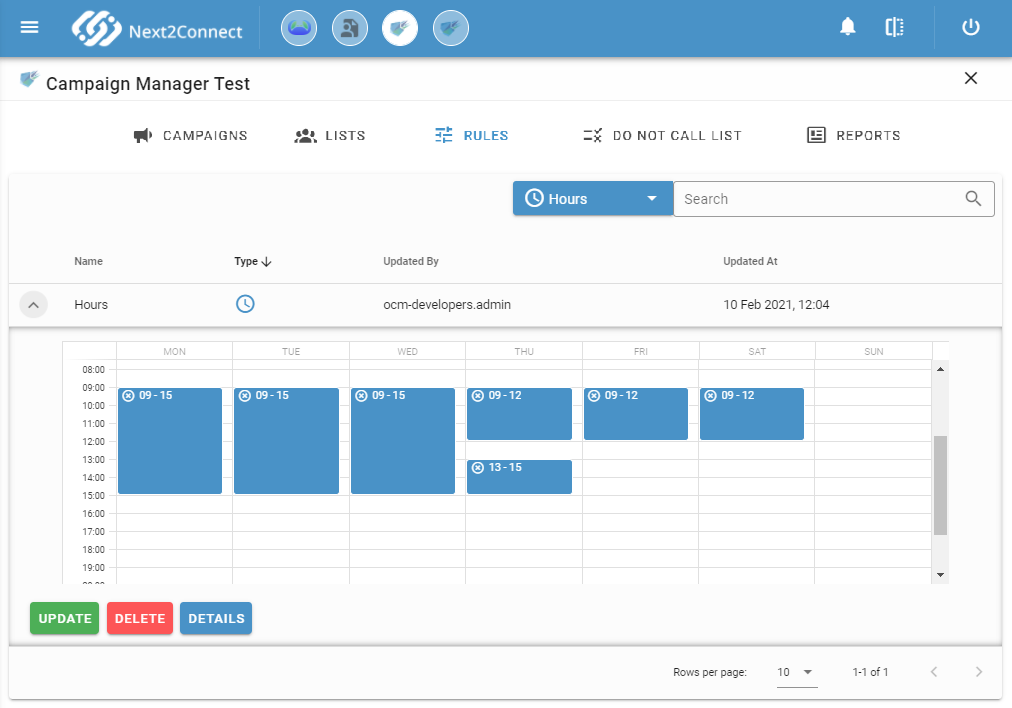
Defines the time slots during which outbound calls are allowed. Drag and drop blocks onto the calendar to set the start and end of each slot. Expand a block to adjust its position within the day. Click X on a block to delete it.
Location
Includes or excludes contacts based on phone number prefix (region). Select Include to call only numbers with the selected prefixes; select Exclude to skip them.
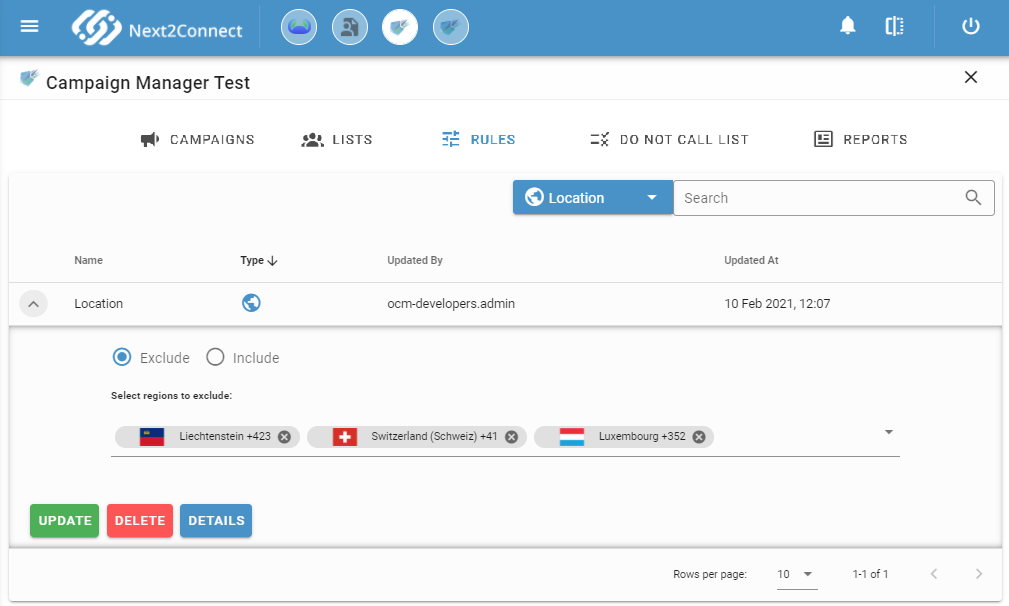
Start typing a region name to search and add it to the selection.
Exception Days
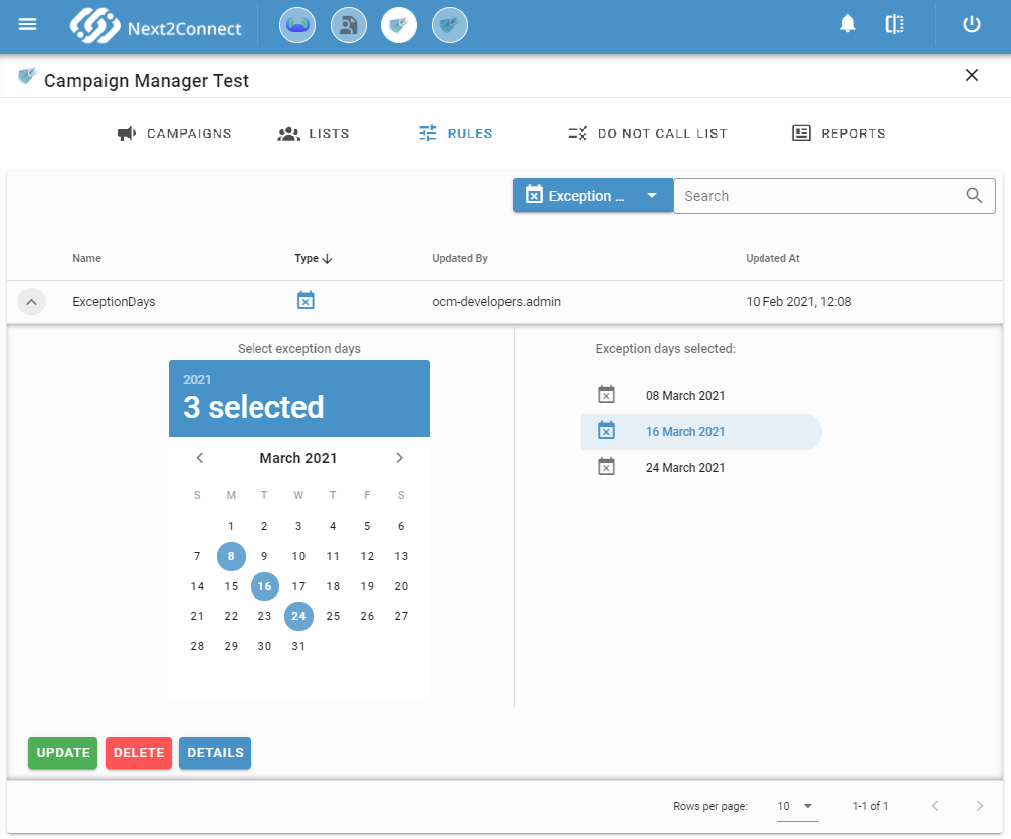
Excludes specific dates from the campaign period - no outbound calls are placed on those days. Select dates on the left panel; they appear on the right. Hover over a selected date and click to remove it.
Suppression List
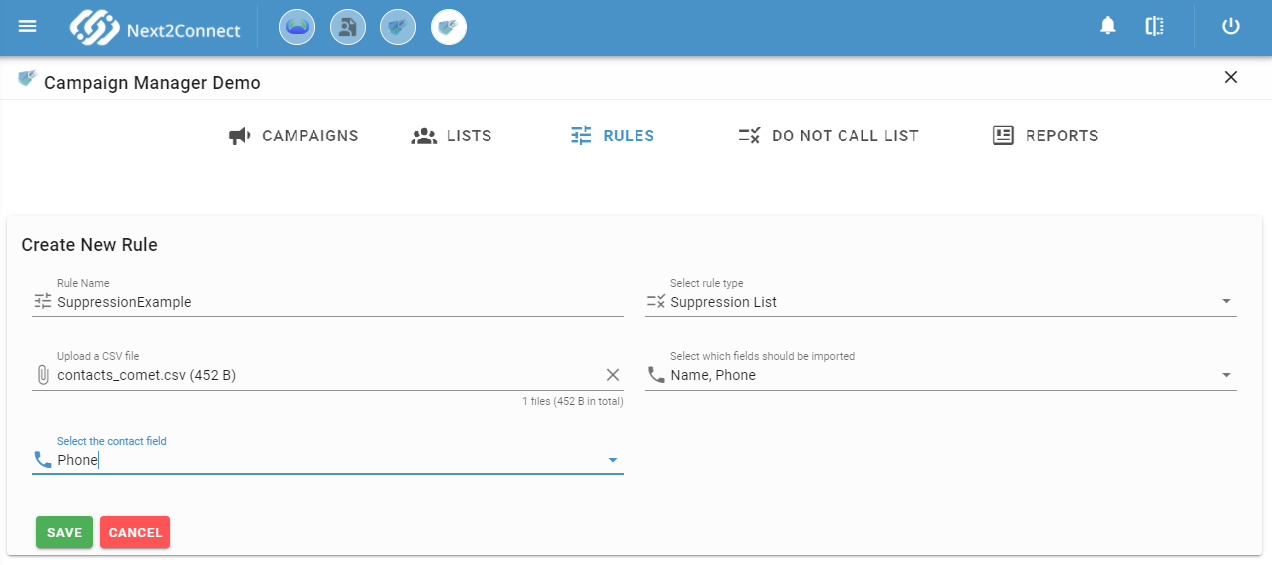
Excludes specific contacts from lists that use this rule. Upload a CSV file, select the fields to import, and designate the column containing the phone number. Contacts in the suppression list that also appear in the campaign's main list are excluded from all calls.
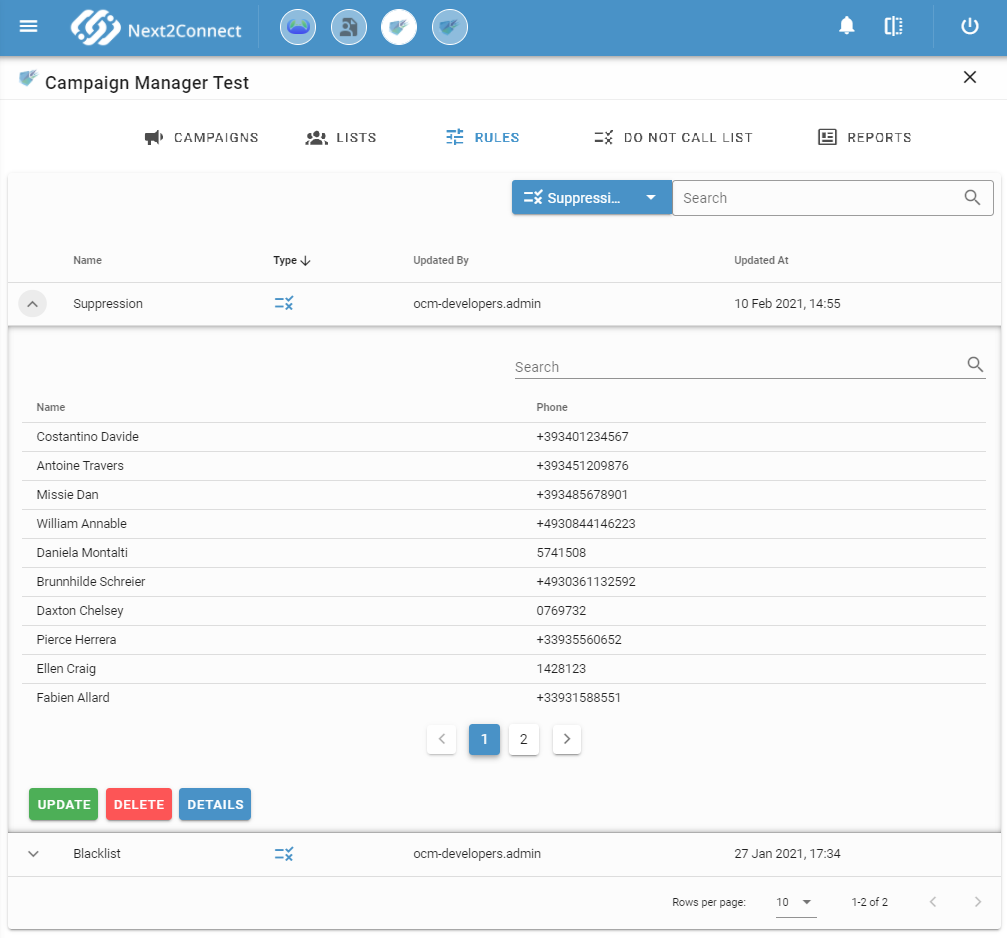
Once the CSV is uploaded, the rule displays the full list of imported contacts.
Attempts
Controls how many times each contact can be dialed and the minimum wait time between attempts. A contact counts as an attempt regardless of whether the customer answers. Once a contact is handled by an agent, it is no longer called.
If no Attempts rule is assigned to a list, contacts that are never answered will never be called again. Assign an Attempts rule to every list.
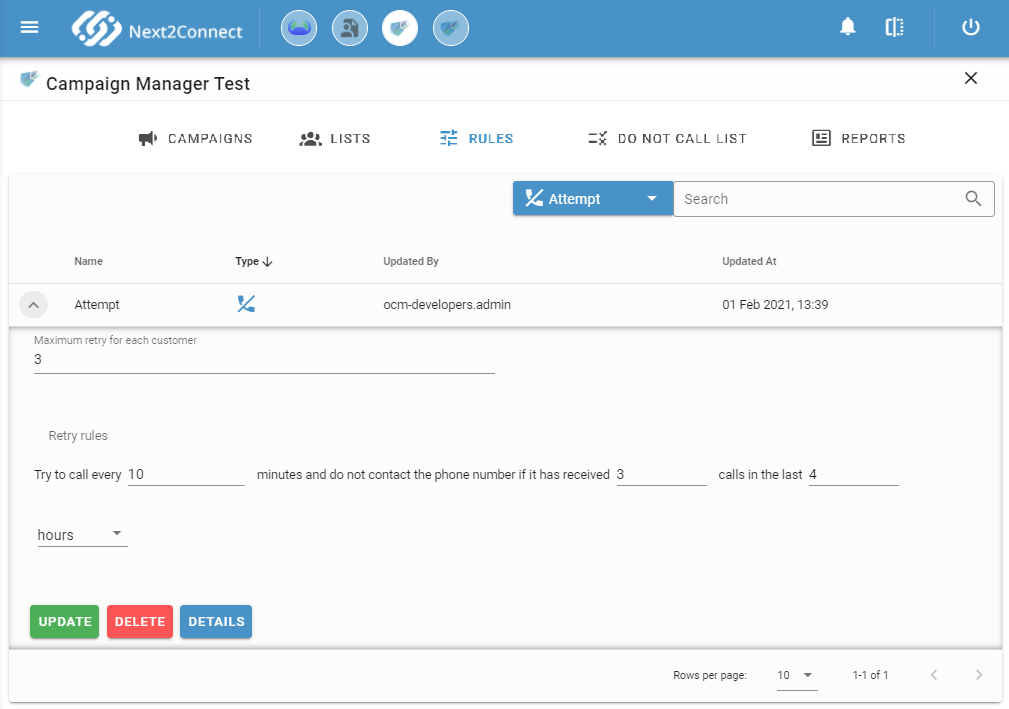
In the example above, each contact is retried up to 3 times, with a minimum wait of 10 minutes between attempts and a maximum of retries per 4-hour window.
Each rule has a Detail button showing creation and last update information.
Do Not Call List
The Do Not Call List section manages contacts temporarily blocked because they received a silent call. While blocked, a contact is not called by any active campaign.
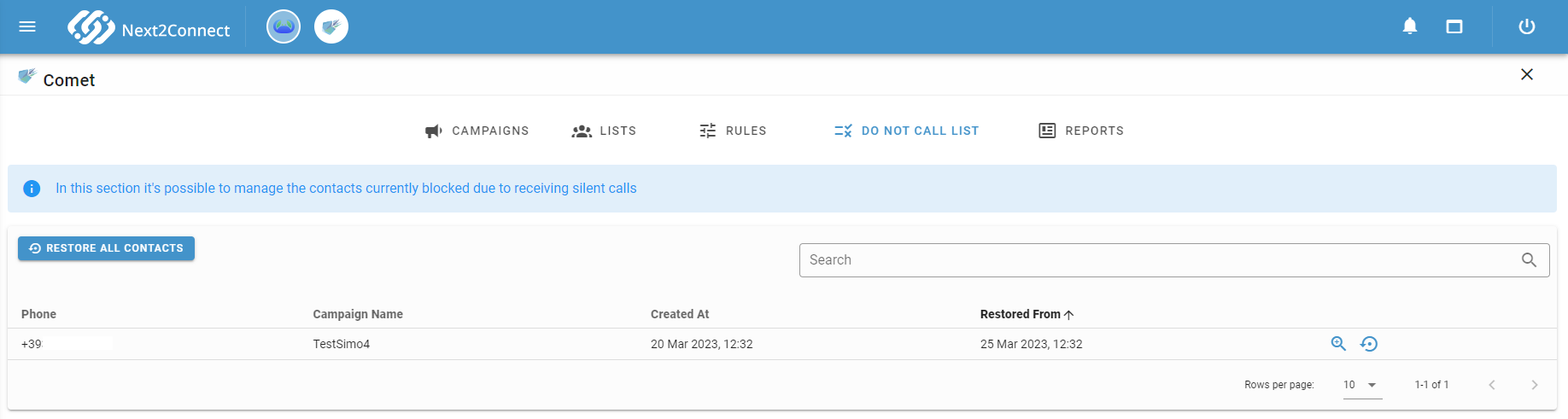
A contact remains blocked for the number of days configured in the campaign's silent call settings. From this view you can:
- Search for a blocked contact in the CRAB Registry using the dedicated button.
- Restore a single contact to make it callable again.
- Restore All to unblock all contacts at once.
After restoration, the contact will resume receiving calls from campaigns that include it.