Comet - Contact Lists
Overview
The Lists section contains all your contact lists. Each list is a set of contacts imported from a CSV file, configured with a Contact Flow, a phone number, and one or more engagement rules.
Create a New List
Click + to open the list creation form.
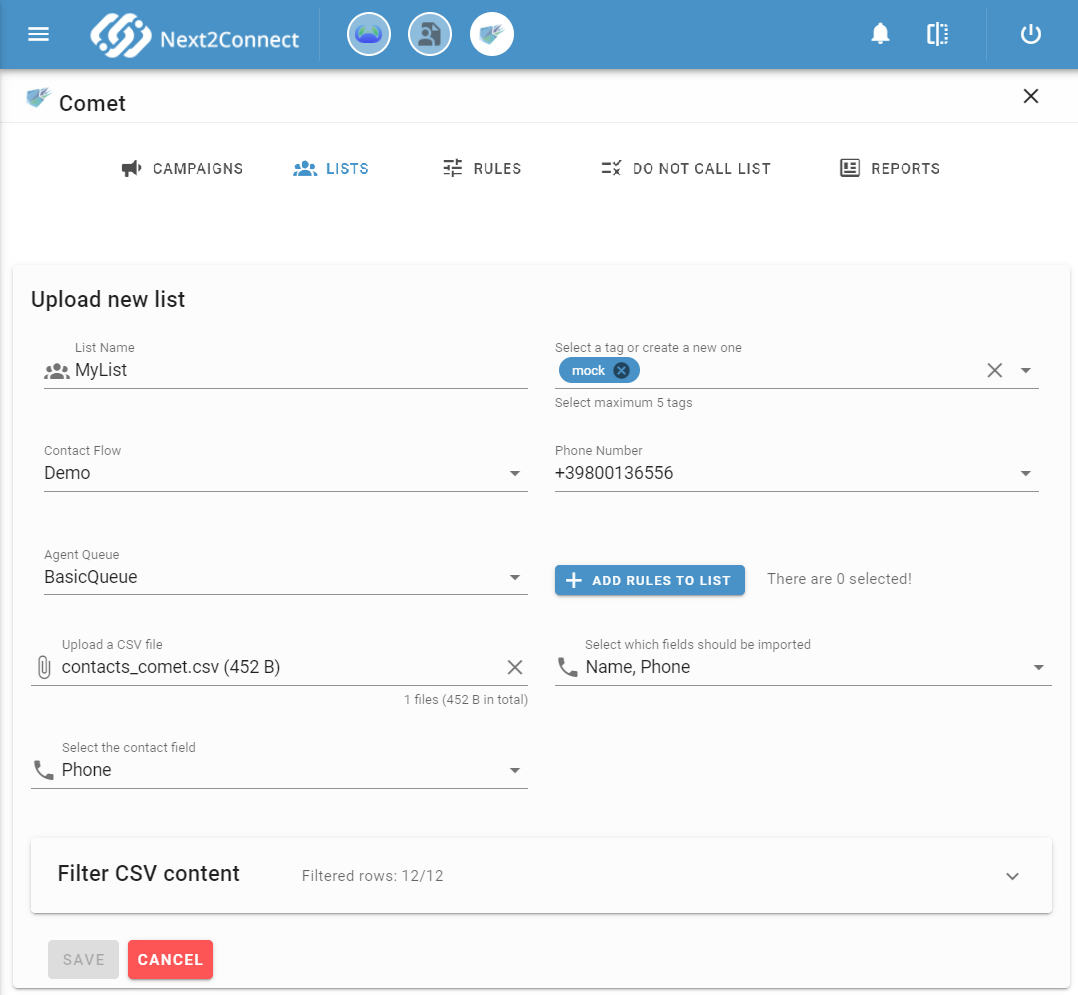
| Field | Description |
|---|---|
| List Name | Unique name for the list |
| Tag | One or more tags for categorization and search |
| Contact Flow | The Amazon Connect Contact Flow used to engage contacts at the start of the call. Must be an outbound-capable flow (e.g. outbound whisper flow type) |
| Phone Number | The Amazon Connect phone number used for outbound calls |
| Agent Queue | The queue used to monitor agent availability |
Upload a CSV File
Click Upload CSV file to import your contact file. The CSV must contain at least one column with the customer phone number, including the international prefix (e.g. +39 for Italy, +44 for UK).
After upload, select which fields to import and discard the rest.
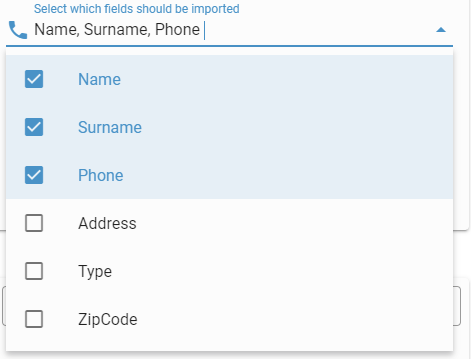
In the Select contact field step, specify which CSV column contains the phone number.
Apply Import Filters
Before importing, you can apply filters to include only contacts that match specific criteria. Filters can be combined with AND or OR logic.
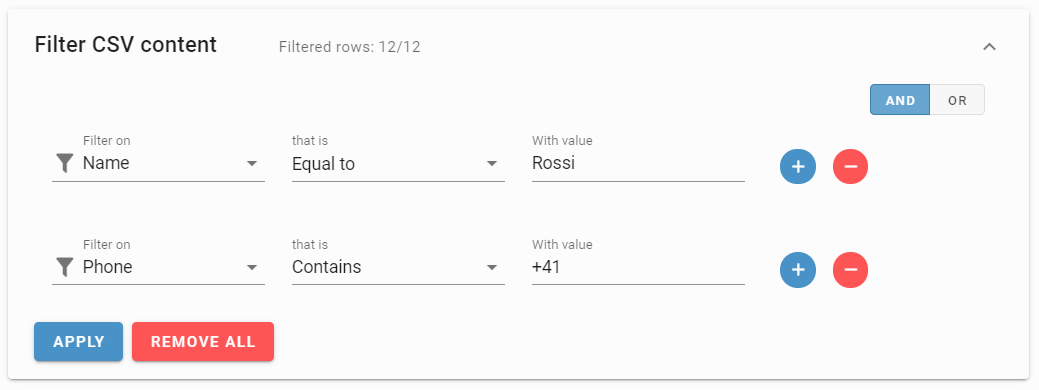
The top of the filter panel shows the number of rows that match the current filters. Click Apply to update the count. Click Remove All to clear all filters.
Available filter types:
| Filter | Description |
|---|---|
| Contains | Field contains the value (case-insensitive) |
| Equals to | Field exactly matches the value (case-insensitive) |
| Greater than | Field value is greater than the specified value |
| Greater or equals to | Field value is greater than or equal to the specified value |
| Less than | Field value is less than the specified value |
| Less or equals to | Field value is less than or equal to the specified value |
| Empty | Field is empty |
| Not empty | Field is not empty |
| In | Field value is in a comma-separated list of values (case-insensitive) |
| Not in | Field value is NOT in a comma-separated list of values (case-insensitive) |
CSV Field Name Limitations
Comet attaches CSV field values as Amazon Connect call attributes using the format ocm-<field-name>-info. Amazon Connect enforces that attribute names contain only alphanumeric characters, dashes, and underscores. Any other character in a CSV column name is automatically replaced with an underscore.
Add Engagement Rules
Click Add Rules to List to attach engagement rules to the list. Select rules from the left panel and move them to the right panel. Drag and drop to set their evaluation order - rules are evaluated top to bottom, and a contact is called only if all rules are satisfied.
For rule types and configuration, see Rules.
List Table
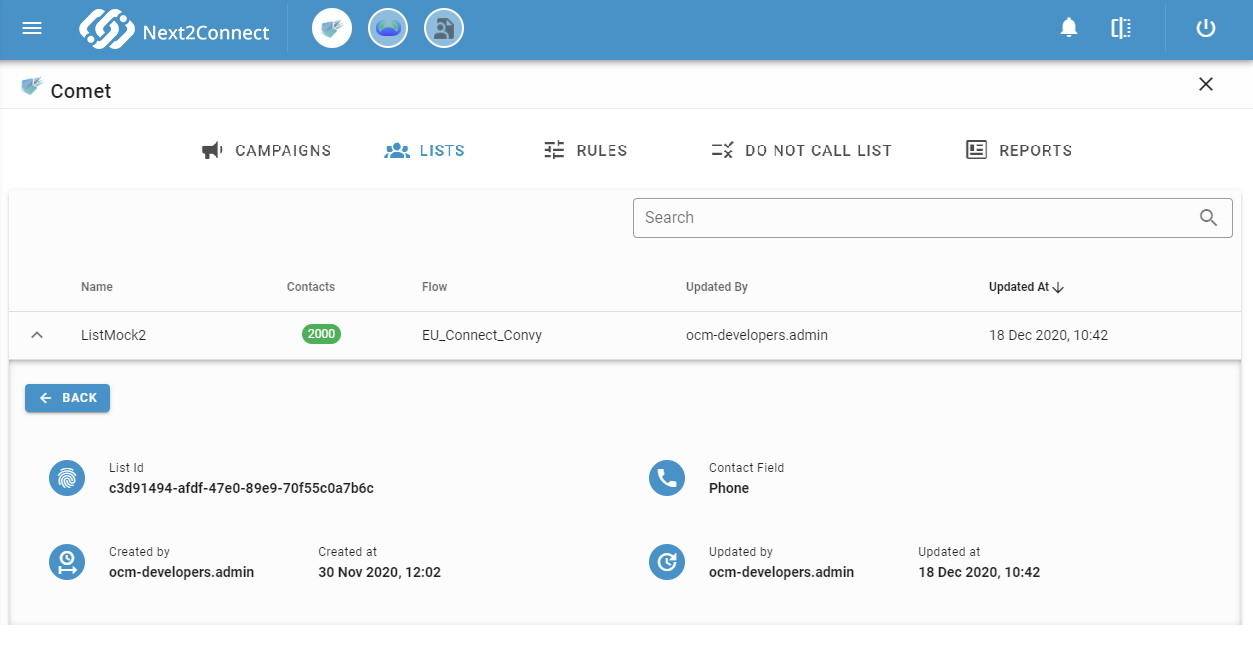
The Lists table shows each list with its contact count and associated Contact Flow.
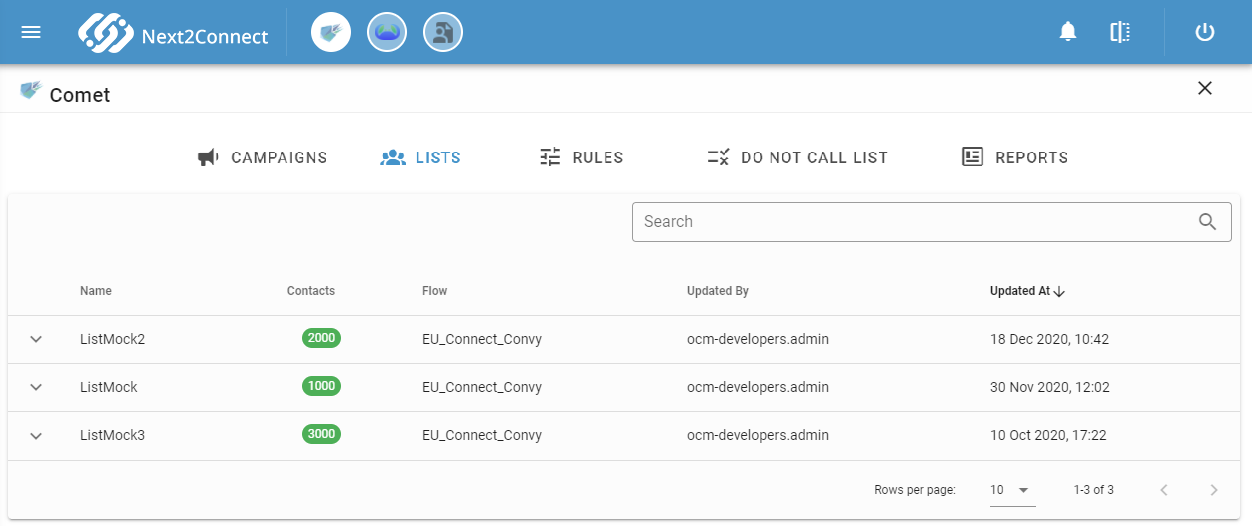
Expand any row to view and edit the full list configuration.
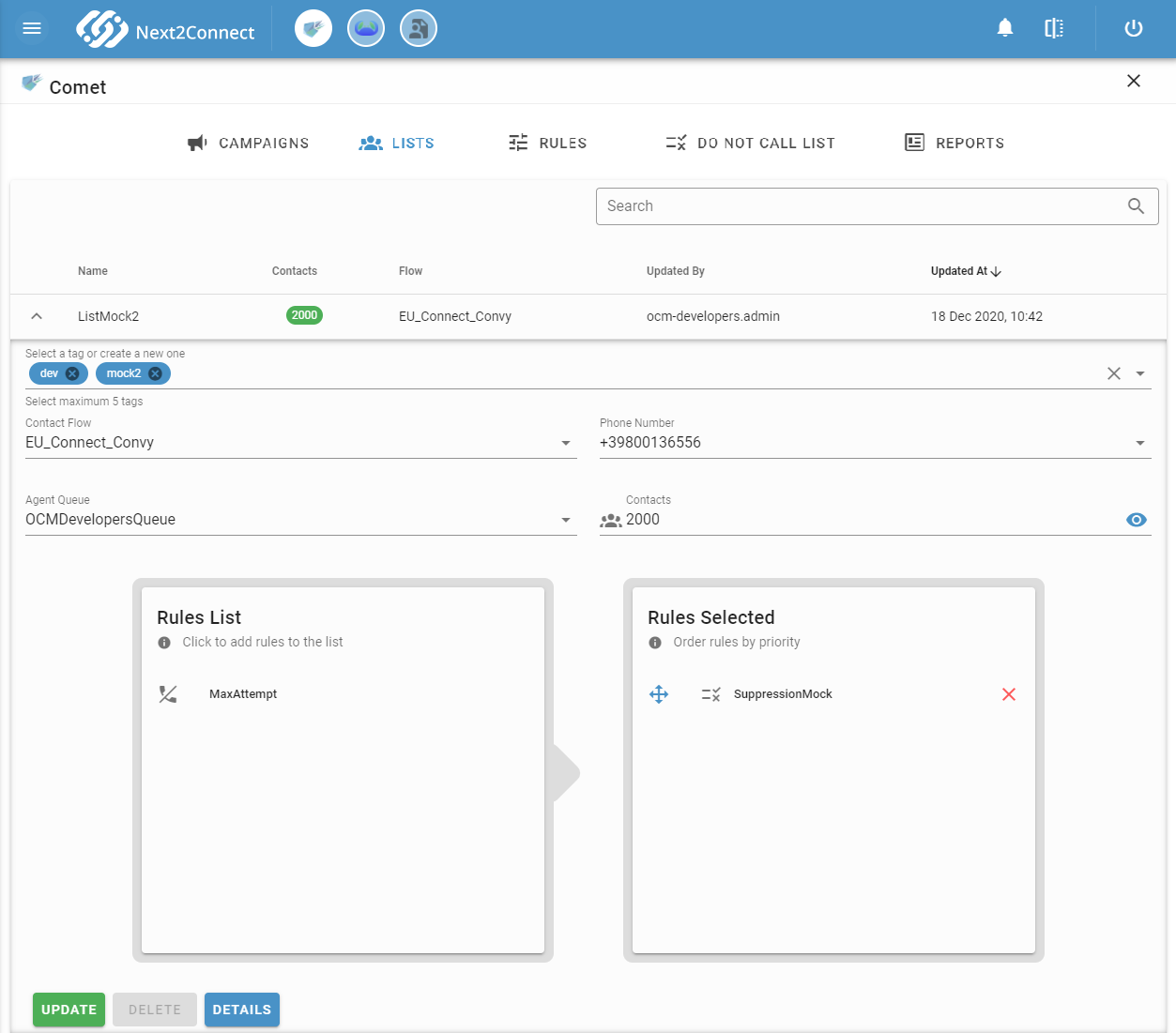
Changes made to a list while a campaign is already running will not affect the active campaign. Updates are applied to future campaigns only.
Click Detail to view extended list information.