Generative AI Settings - API Keys and Vector Database Configuration in ConvyAI
Overview
The Settings page contains the credentials and infrastructure configuration required for the Knowledge Base indexing service. It has two sections: GenerativeAI Configs and Redis Configs.
Navigate to Generative AI → Settings to access this page.
GenerativeAI Configs
This section holds the API credentials for the LLM providers used during indexing. Configure only the providers you intend to use.
OpenAI
| Field | Description |
|---|---|
| API Key | The API key obtained from your OpenAI platform subscription. Required for OpenAI-based indexing and models. |
Amazon Bedrock
| Field | Description |
|---|---|
| Access Key | AWS access key with Bedrock permissions. |
| Secret Key | AWS secret key associated with the access key. |
| Region | The AWS region where your Bedrock service is deployed (e.g., us-east-1). |
Azure OpenAI
| Field | Description |
|---|---|
| Key | The API key associated with your Azure OpenAI resource instance. Used to authenticate all requests from ConvyAI. |
| Endpoint | The HTTPS endpoint of your Azure OpenAI resource. Identifies the specific instance and deployment called during indexing batches. |
Xference
| Field | Description |
|---|---|
| API Key | The API key for your Xference instance. |
| Endpoint | The URL of your Xference instance. Identifies the instance called during indexing batches. |
Redis Configs
ConvyAI includes a managed Redis service out of the box - no installation or configuration is required for most deployments.
If you need to use an existing Redis instance (for example, to keep indexed data on-premises or within your own infrastructure), configure the connection details here.
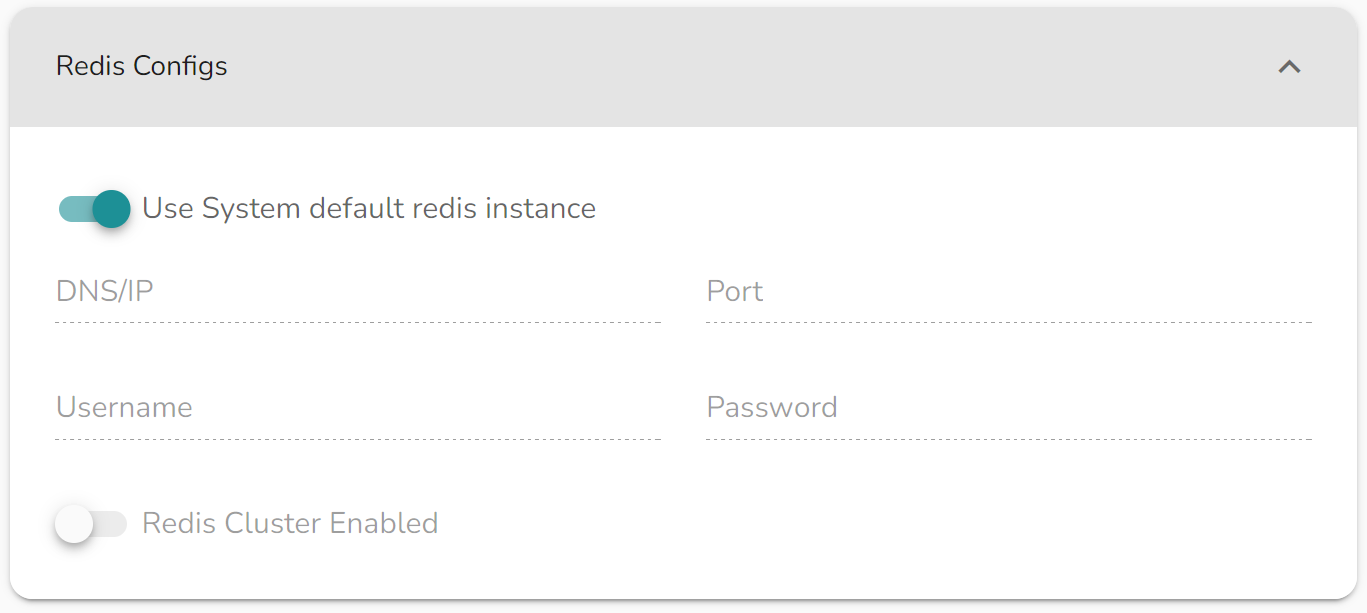
| Field | Description |
|---|---|
| Host | The hostname or IP address of your Redis instance. |
| Port | The Redis port (default: 6379). |
| Password | Authentication password for the Redis instance, if required. |
When using a custom Redis instance, the embedding model used during indexing must match the one used at query time. Mismatching models will result in incorrect retrieval results.