Intents, Entities and Model Testing - ConvyAI AI Models
Overview
Intents and entities are configured at the AI Model level and apply regardless of the LLM provider in use. Once configured, they are available in the Knowledge Base node for routing and data extraction.
The built-in test console is also shared across all providers and lets you validate model behavior before deploying to a live bot.
Configure intents and entities
After saving the model, define the intents and entities the model should extract from user messages.
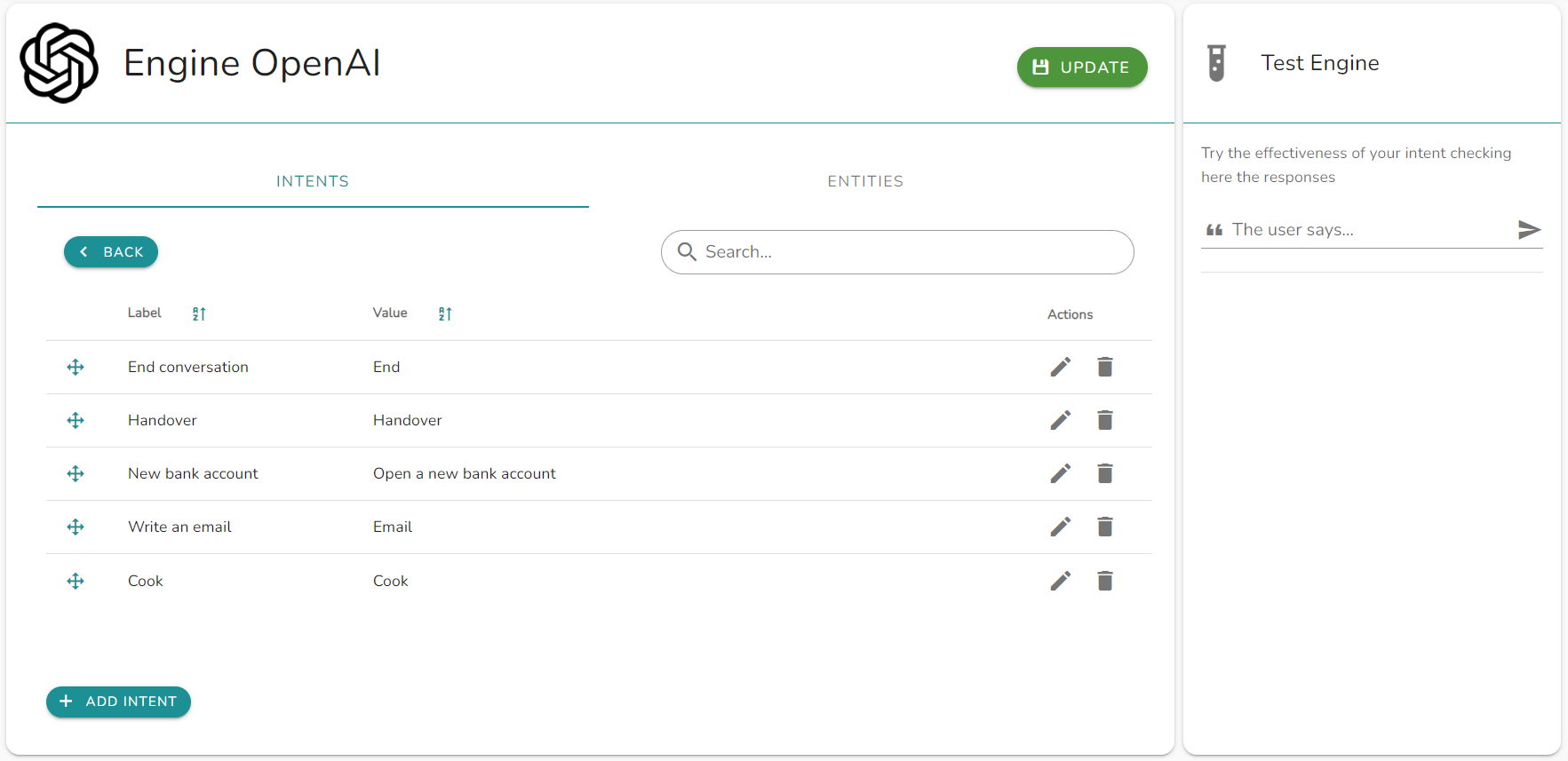
Intents - Categories of user requests that the model should recognize. When the user's message matches an intent with a score above the threshold, the bot flow routes to the corresponding exit node in the Knowledge Base node.
Entities - Specific data points to extract from the user's message (e.g., product name, order ID, date).
Test the model
Use the built-in test console to send sample queries and verify that the model returns the expected intents, entities, and responses before deploying to a live bot.
The console sends the same set of parameters the flow nodes use at runtime, so an error you reproduce in the console is the error you would get in execution, and you can check it without publishing the flow. Errors returned by the provider are shown as they are, without filtering or reinterpretation. Because ConvyAI does not restrict parameters based on the model (see Optional parameters), the console is how you find out what the model you entered does not accept. At runtime the same error is recorded in the node execution logs, with the model and the rejected parameter.