AVA Users - Manage User Access and Sessions in ConvyAI
Overview
The Users section contains the list of all users who have access to AVA. For each user you can see their username, assigned Attributes Set, status, enabled state, and the time of the last update.
Navigate to AVA → Users.
User status
| Status | Description |
|---|---|
| Active (green) | The user has an open AVA session. A badge is displayed if the user has more than one active session. |
| Inactive (grey) | The user has no active session. |
Create a user
Click the + button and fill in the form that appears.
Once created, the user appears in the list with buttons to:
- Change password - Reset the user's login credentials.
- Delete - Permanently remove the user.
- Force disconnect - Available only when the user is active. Disconnects the user from all current AVA sessions.
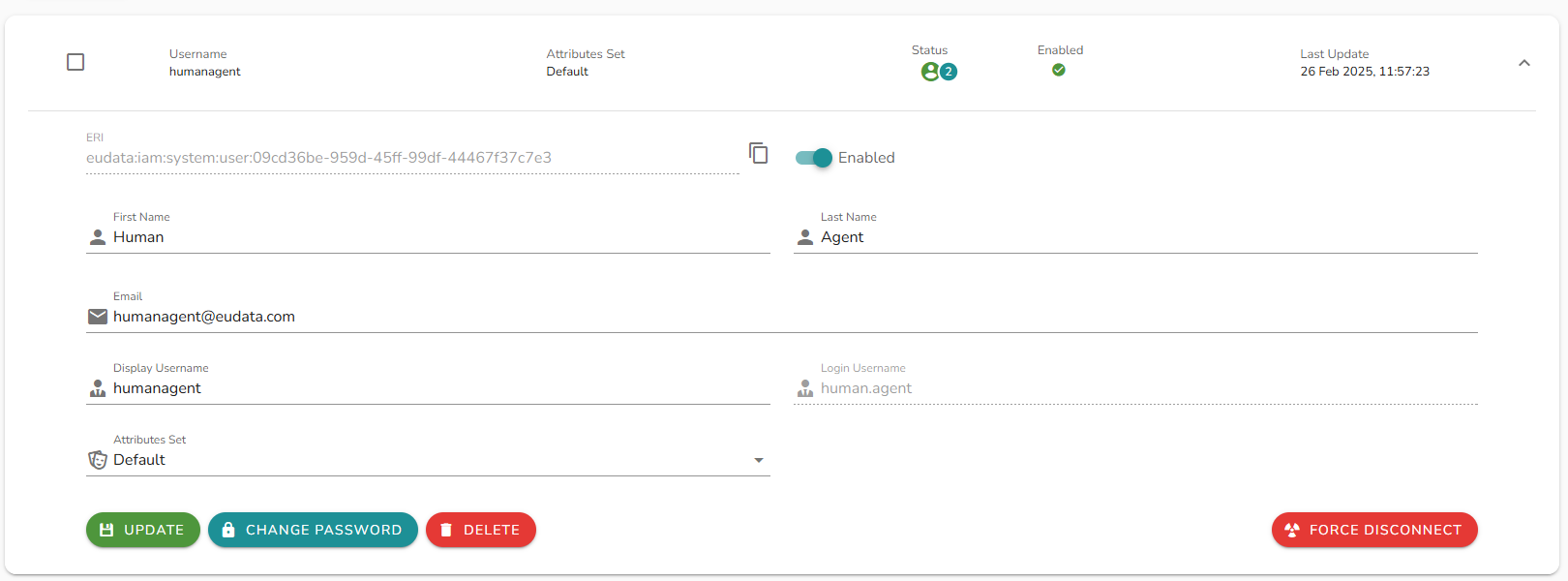
Force disconnect
Click Force disconnect to terminate all active sessions for a user. A confirmation panel appears before the action is executed. Once confirmed, the user is disconnected within a few seconds.
SSO integration
AVA users can be integrated via SSO with an Identity Provider (IdP). When SSO is enabled, authentication is delegated to the configured IdP.
AVA users created with the same email address as an existing ConvyAI agent are automatically linked to that agent.