Web Publication - Availability Times and Initial Form in ConvyAI
Overview
The web chat connector has two additional configuration areas beyond the standard connector settings: Availability Times and Initial Form. Both are optional and independent from each other.
Availability Times
Availability Times control when the engagement button is visible on your website. Three modes are available:
Always (default)
The engagement button is always visible. The bot is available 24/7 with no restrictions.
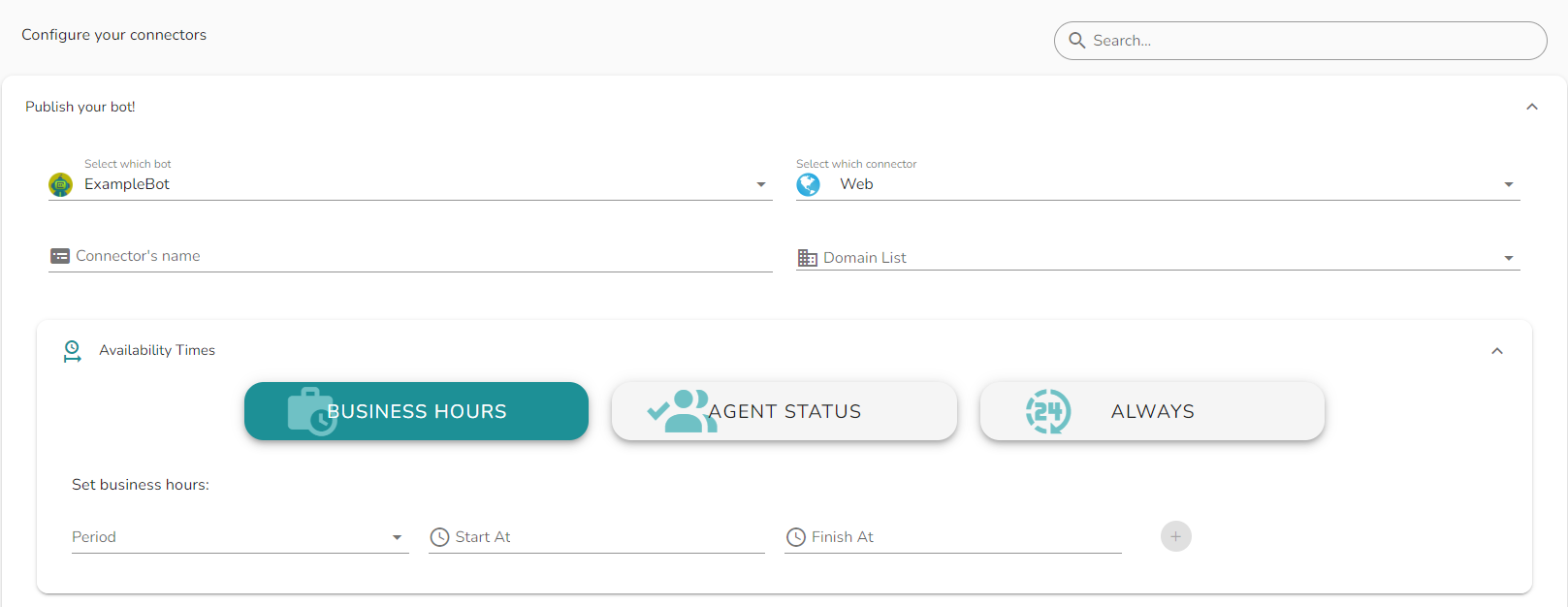
Business hours
The button is shown only within the defined time frames. For each day of the week you can configure one or more active time ranges. All times are evaluated in the company time zone.
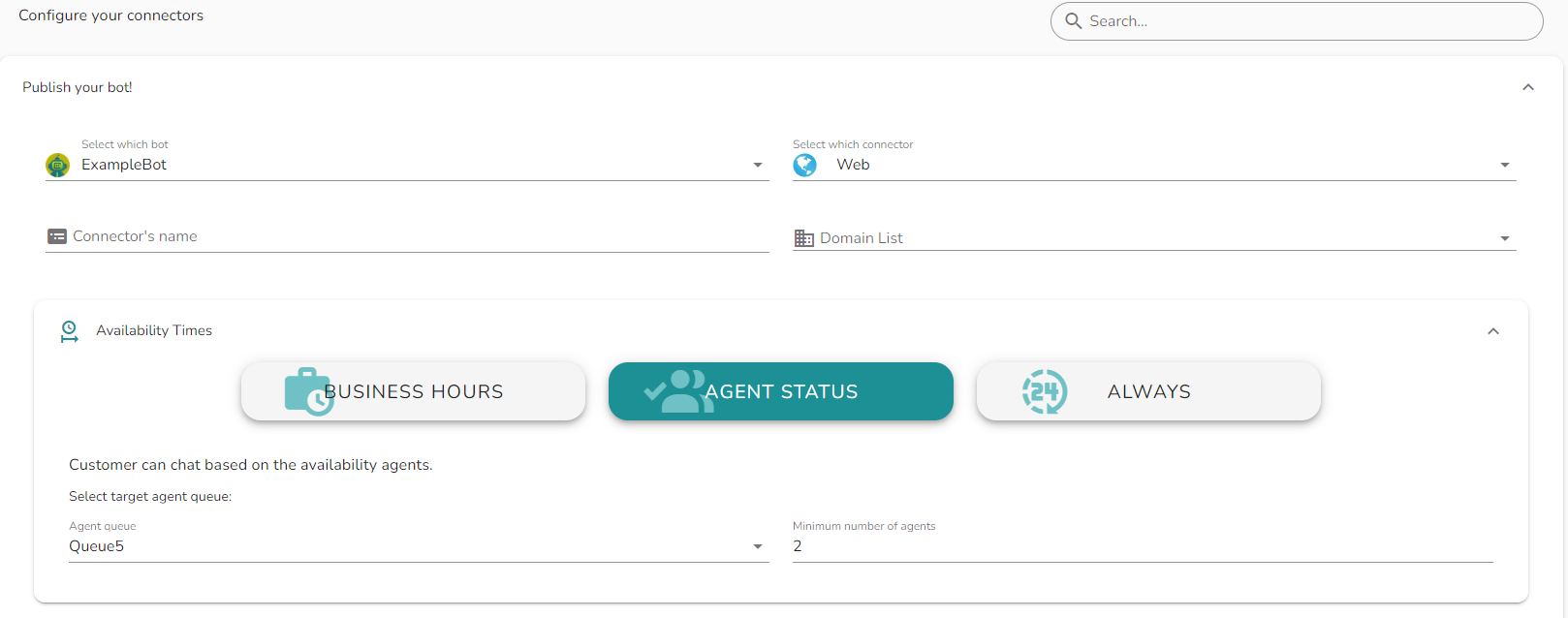
Agent availability
The button is shown only when a minimum number of agents are available in the selected queues. Use this mode when the bot is configured to always hand over to a human agent and you want to prevent customers from starting a conversation when no agents are logged in.
Initial Form
The Initial Form displays a simple form to the customer before the conversation with the bot starts. Use it to collect identifying information - such as name, email, or phone number - that is then available as variables inside the bot flow.
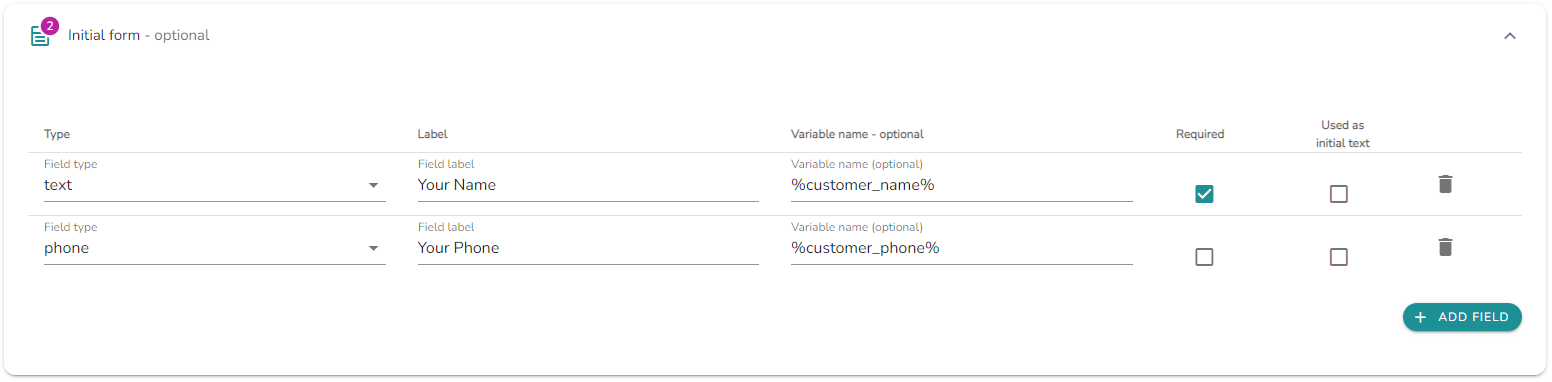
Each field in the form is configured with the following properties:
| Property | Description |
|---|---|
| Field label | The label shown to the customer in the form. |
| Variable name | The name of the variable automatically created in the bot when the conversation starts. The variable holds the value entered by the customer. |
| Mandatory | If enabled, the customer must fill in this field before starting the conversation. Optional fields can be left blank. |
| Used as initial text | If enabled, the value entered in this field is used as the input text for the first node of the bot. Useful when the first node is a menu with an AI model - the customer's free-text input is passed directly to the model for intent recognition. |
Notes and limitations
- Variable names defined in the Initial Form must be unique within the bot flow to avoid conflicts.
- The Used as initial text option should be enabled on at most one field per form.
- Business hours time frames are evaluated server-side using the company time zone, regardless of the customer's local time.